Customer monitoring
Customer monitoring: never miss what happens at your accounts
Spot changes at existing customers before they become a problem
Customer relationships rarely end overnight – there are early signs: the procurement lead moves on, the offer shifts, a new location opens, a news item hints at consolidation. Customer monitoring surfaces those signs while there is still time for a conversation.
Monitor up to 5 companies for free – no credit card.
What customer monitoring watches
Contacts and management
Changes in the team or in leadership are reported so account work keeps reaching the right person.
Growth and new initiatives
New locations, products or projects are openings for additional business.
Risk indications
Notable news, an unreachable website or changed legal details appear as a risk signal.
Current master data
Address, contact details and legal-notice data stay current without chasing phone calls.
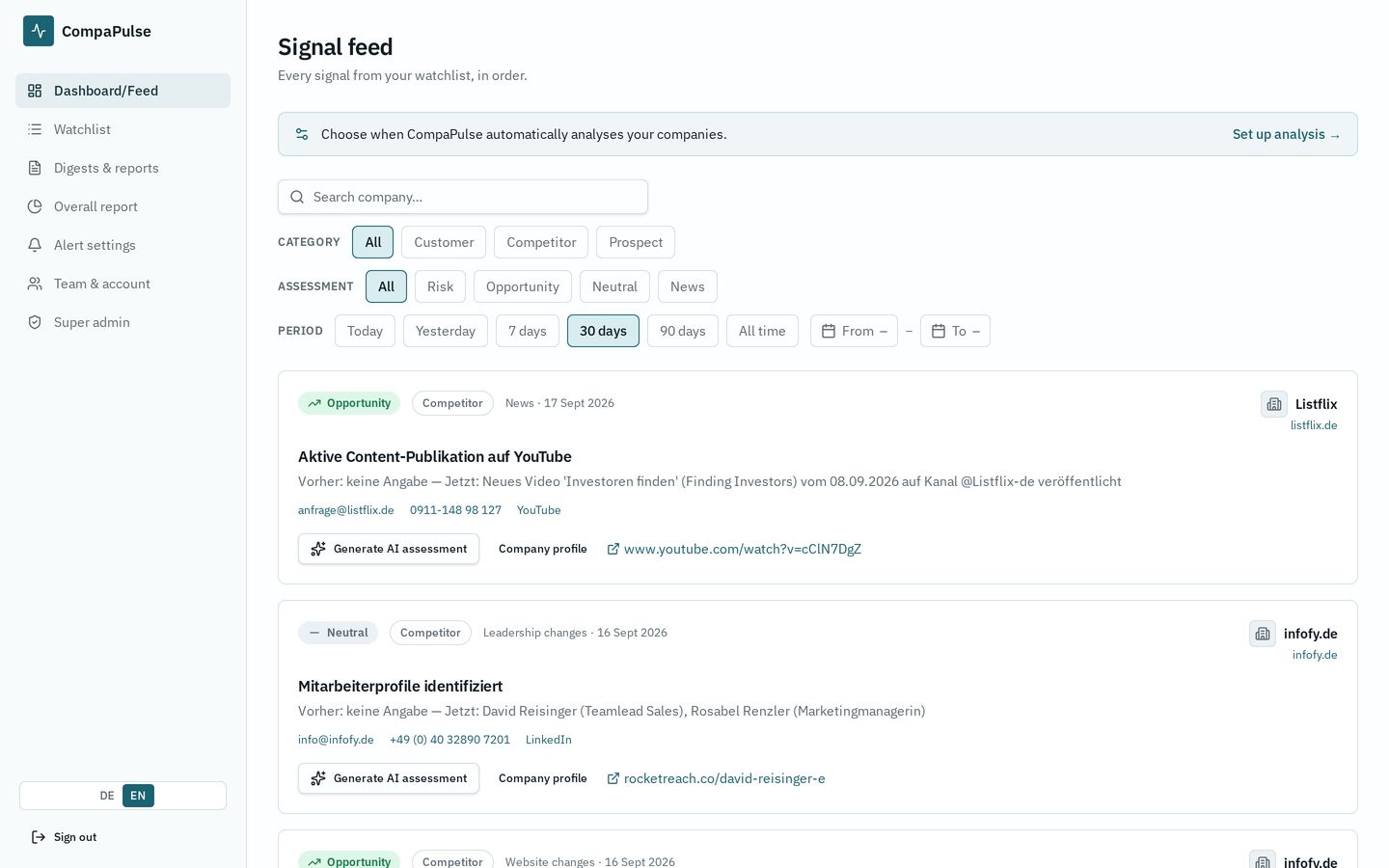
How to start customer monitoring
- Import your customer list via Excel/CSV and tag it as customers.
- Choose the daily run and the signal types that matter for account work.
- Enable the email summary at the time that suits your routine.
- Handle risk signals first, hand opportunities over to your CRM.
Frequently asked questions
- Do I need a CRM integration?
- No. The watchlist is enough; you can import lists via Excel or CSV.
- How do I separate customers from competitors?
- Every company is tagged as customer, competitor or prospect, and the feed and reports can be filtered by that.
- Are the results evidenced?
- Every change names its source plus the previous and current state. Anything that cannot be evidenced stays empty.